Jan 31, 2013

The E-Learning Formula - Free ebook

HOW TO CREATE THE TYPE OF E-LEARNING THAT CORPORATIONS CRAVE!


Almost two out of every three hours of employee training are now being delivered by some form of e-learning.

Learn how to create the type of e-learning that clients crave and your competitors will hate:

In this 21-page guide, you will learn:

Where to start with your e-learning strategy.
The different types of selling situations and how to close deals more often with e-learning.
How to develop an e-learning solution that attracts larger training contracts.

http://info.vantagepath.com/the-e_learning-formula


Jan 21, 2013

62 Tips on Effective eLearning Instructional Design -ebook


   It’s easy to be overwhelmed by the new learning technologies that become available every day: mobile apps, 3-D virtual worlds, geolocation, MOOCs, new development tools, and on and on. But despite the allure of these toys and shiny objects, the success of any eLearning project rests primarily on effective instructional design, not on any mix of technologies. Only eLearning that addresses the needs of learners and stakeholders—and does it in ways that facilitate learning transfer, knowledge retention, and skills development—has any significant value.
You need expert help to get past the distractions. This eBook features tips from 62 from top eLearning professionals and instructional design experts, offering guidance in areas including:
  • Making Learning Stick
  • Effective Instructional Design and Development
  • Managing Project Costs and Time
  • Demonstrating Your Value
  • Documenting and Managing Your Designs and Standards
  • Designing for Mobile
  • Customizing and Personalizing Learning

Contributing Editor, Karen Forni


http://www.elearningguild.com/publications/index.cfm?id=24&from=home


Jan 18, 2013

Exploring the Business Case for Open Educational Resources - ebook


Table of Contents:
1 The Context of OER
   1.1 Global Trends and Challenges in Education
   1.2 The OER Value Proposition

2 The Economics of OER
   2.1 Introduction
   2.2 OER and Course Design
         The value of investing in course design
         Costing for course design and development
         A case study from Guyana
   2.3 OER and Textbook Publishing
         The cost of textbooks in Brazil
         Educational textbooks in South African secondary education
         Other emerging trends in open textbooks
   2.4 Open Access Publishing
   2.5 OER and Accreditation

3 Conclusion

4 References

by Neil Butcher (Author), Sarah Hoosen (Author)
Publishers: COL (September 2012)

http://www.col.org/resources/publications/Pages/detail.aspx?PID=421

Nov 12, 2012

FREE templates for Captivate and Storyline


The site has some free templates for Captivate and Storyline :

For storyline :


  • 4 Master Slide Layouts
  • Styled Question Bank With 13 Question Types
  • Matching Buttons
  • Matching Arrow Animations
  • Captivate Storyline File with 2 scenes (Main and Quiz) (.STORY)
  • Intro Music
Deom :


For Adobe Captivate 6 :

  • 4 Master Slide Layouts
  • Styled Question Pool With 9 Question Types
  • Matching Preloader
  • Matching Arrow Animations
  • Matching Smart Shapes
  • Theme File (.CPTM File)
  • Intro Music
Demo:
the download  link :


Good Time .

Sep 23, 2012

Twitter New Style


Twitter allows users to add banner.
 It is a nice touch.

As you can see here ( as example ) :


You can do this by following these simple steps :

1- Select Setting as you can see in this picture :

2- Click on Design :


3- Go to "Customize Your Own" section, Then Ckick on Change Header.


Notice : Recommended dimensions of 1200×600Maximum file size of 5MB

4-Then Pick up your Image. 
Adjust the image then click save.

Thats it.

Hope this help someone.

Good time.


Sep 21, 2012

Certificate in Virtual Worlds


The program offers a Certificate in Virtual Worlds.

Program Overview :
Learn to use simulated environments to enhance all types of organizations, including online communities, education, retailing, political expression and military training. As technologies develop, virtual worlds become more sophisticated, more common and people spend more time in them. Position yourself to be part of this emerging movement that has become a reality beyond just gaming. Your education will be hands-on and practical; you will learn exclusively in a simulated environment.

Program Features
Graduate credits
Hands-on experience with analysis, design and development of virtual world platforms using Second Life
Completion of a capstone project resulting in a customized virtual world in Second Life

What the Program Covers:
Platform selection and use
World design and creation
Human interactivity and metrics
Integration with business systems or databases
Effective evaluation of virtual worlds

You will learn to:
Apply and combine concepts, processes, issues and skills from information management techniques, educational theory, technology design and digital culture to choose, design, develop and measure goals in Virtual Worlds.
Analyze virtual world platforms, examining design methods and user-centric design for human-information interaction.
Apply concepts, strategies and skills related to the life cycle of virtual world planning, design and product development.
Use evaluation techniques involving human factors, cognition, gaming strategies, performance tracking and feedback systems to ensure the ‘stickiness’ and defined value in Virtual Worlds.

Who Should Apply
Programmers
Graphic designers
Game developers
Communications specialists
Marketers
Educators
Entrepreneurs


A friend emailed me the program .
I hope it will help someone.
Good luck.

Sep 19, 2012

How to deliver technical training via mobile devices


This is a webinar from CDG Company for mobile, you can join it free .

With the rise in usage of mobile devices, what opportunities does this offer technical trainers? How do you create content that works well on mobile devices? How can you ensure that it functions correctly on all types of devices?

In this webinar presented by Luke Dart, Technical Content Developer, Advanced Learning Solutions Team, CDG a Boeing company, you will learn how mobile devices can be used to support your training activity to reduce classroom time and meet the needs and expectations of your students. It will give you insights into how other training departments are using mobile devices and ideas for your own training function. You will learn about some of the current limitations, what can be achieved and how to make it happen.

Join this live, interactive webinar to learn:

The contexts in which mobile devices can be used for training
The benefits they offer
How to structure content for mobile devices
Delivering content via mobile devices – what is possible and how it is done
The current limitations and issues
Who will benefit from attending:
Technical Training Managers
HR Managers
Engineering Managers
Customer Support Managers
Maintenance Managers

Speaker:
Luke Dart, Technical Content Developer, Advanced Learning Solutions Team, CDG a Boeing company

Wednesday, September 26, 2012

9:00 am / 09:00 (GMT)
10:00 am / 10:00 (BST)


http://www.cdgnow.com/news-events/event-calendar/webinar-how-to-deliver-technical-training-via-mobile-devices/?utm_source=JangoMail&utm_medium=Email&utm_campaign=Webinar+-+How+to+deliver+technical+training+via+mobile+devices+%28277012828%29&utm_content=almouka%40hotmail%2Ecom

Good time.

Sep 18, 2012

All the ebooks are Free


Welcome all,

I want to mention that all the ebooks in my blog in this link :

http://elearningpros.blogspot.com/search/label/Books

are free from the source. And there is no copyright violation.

Good time.


Sep 14, 2012

Great tool :course-builder from google


It is a great step from Google which will support education.

As Google said : Course Builder is our experimental first step in the world of online education. It packages the software and technology we used to build our Power Searching with Google online course. We hope you will use it to create your own online courses, whether they're for 10 students or 100,000 students. You might want to create anything from an entire high school or university offering to a short how-to course on your favorite topic.

Course Builder contains software and instructions for presenting your course material, which can include lessons, student activities, and assessments. It also contains instructions for using other Google products to create a course community and to evaluate the effectiveness of your course. To use Course Builder, you should have some technical skills at the level of a web master. In particular, you should have some familiarity with HTML and JavaScript.


Join Peter Norvig and special guests for two Hangouts on Air. Peter will answer your questions about MOOC design and the technical aspects of using Course Builder.
•19 Sept 10:00am - 10:45am PDT
•26 Sept 10:00am - 10:45am PDT

http://code.google.com/p/course-builder/

and this is the group for the course-builder :
http://groups.google.com/forum/?fromgroups#!forum/course-builder-forum

Thanks google.

Sep 13, 2012

Developing a Mobile Learning Strategy


This is a webinar from skillsoft.

Fit mobile into your learning strategy

Is now the time to take the plunge into mobile learning, or should you wait for a more stable mobile landscape to emerge?

Join Skillsoft for a webinar that will provide you with a framework as you begin thinking about the challenges and opportunities for mobile learning within your organization. During the webinar you will learn:
The different devices suitable for different learning content types.
The difference between mobility and portability when applied to learning activities.
Speakers:

Pam Boiros, Vice President, Product Management Skillsoft® Books24x7®
Pam Boiros joined Skillsoft in 2000, as part of the Books24x7 organization, and she is currently responsible for the overall product and content strategy of the Books24x7 “On Demand” product line. She is the key architect and evangelist for inGenius™, Skillsoft’s social learning solution which has to date been adopted by over 300 organizations around the world.  Pam has also been involved with emerging mobile learning initiatives since the launch of the Books24x7 on the Go™ mobile solution in 2006. Pam holds an MBA from Babson College and a BS in Business Administration from Northeastern University.

Tim Hildreth, Director, Product Marketing, Skillsoft
Since joining SkillSoft in 2004, Tim has provided strategic direction for Skillsoft’s content technology products including courses, authoring tools, KnowledgeCenters, and the Skillsoft Leadership Advantage. Most recently, Tim has overseen the development of Skillsoft’s evolving mobile strategies.  Tim considers himself a life-long learner and teacher and has travelled extensively and lived abroad. He came to Skillsoft after 11 years in Product Marketing and other positions with Transparent Language, Inc., a leading provider of computer aided language-learning (CALL). He has a degree in Political Science from Williams College.

Date and time :
Wednesday, September 19
1- 2 p.m. EDT


http://learning.skillsoft.com/LP=123?elqCampaignId=214&srcID=Mobile_wb_website

Good time .

Giving with Purpose - Free Course


I advise every one to register to this course:

GivingwithPurpose is a short online course on effective charitable giving.

LearningbyGivingFoundation.org provides funding for more than 30 courses on philanthropy and giving on campuses across the United States.

Now we are pleased to invite you to join the first-of-its-kind, free online course on effective charitable giving.

The course will be offered in early 2013. Pre-Register in order to receive course updates and speaker announcements.

Course Description
The course was created by one of our professors, Rebecca Riccio, Director of the experiential philanthropy program at Northeastern University and features:

Six (6) compact classes providing tools, information, and strategies to make your charitable giving more effective and rewarding, regardless of whether you are investing $10 or $10,000.
Interviews with well known national philanthropists and thinkers bring the course material to real life.
Interactive student exercises to reinforce learning.
Opportunities to connect with others using Google platforms such as Google+, Hangouts on Air, etc.
A certificate of completion for everyone who watches all six classes and successfully completes the student exercises.

http://www.learningbygivingfoundation.org/givingwithpurpose

Preview of the course :
http://www.learningbygivingfoundation.org/preview

Hoping to see you there .
Good time .

Power Searching with Google - Registration is open


This course is from the source : Google.
Searching the web is a must skill.

So Register to this valuable course:

Another live session of Power Searching with Google begins on September 24!

Register now to complete the course alongside a community of global participants and when the course begins you'll receive:

Access to community discussion forum
The opportunity to put your new skills to test with mid and post class assessments
Support from Google course staff
An official Power Searching with Google certificate upon completion

Schedule

Pre-class assessment - available 2012-09-24
Class 1 - Introduction - available 2012-09-24
Class 2 - Interpreting results - available 2012-09-26
Class 3 - Advanced techniques - available 2012-09-28
Mid-class assessment available 2012-09-28, deadline 2012-10-10 11:59pm PT
Class 4 - Find facts faster - available 2012-10-01
Class 5 - Checking your facts - available 2012-10-03
Class 6 - Putting it all together - available 2012-10-05
Post-class assessment available 2012-10-05, deadline 2012-10-10 11:59pm PT

Do not miss this great chance.

The course link:
http://www.powersearchingwithgoogle.com/

Hoping to see there.

Good luck

Digital Literacy Tour From Google


Google again and always.
This course is valuable for families.

Descriptions :
Google support the education of families on how to stay safe online. That's why Google have teamed up with online safety organization iKeepSafe to develop curriculum that educators can use in the classroom to teach what it means to be a responsible online citizen.

The curriculum is designed to be interactive, discussion filled and allow students to learn through hands-on and scenario activities. On this site you'll find a resource booklet for both educators and students that can be downloaded in PDF form, presentations to accompany the lesson and animated videos to help frame the conversation.

Workshop 1: Detecting Lies & Staying True
Video: Detecting Lies and Staying True
Instructor's Guidebook
Student Handouts
Presentation to accompany lesson

Workshop 2: Playing and Staying Safe Online
Video: Playing and Staying Safe Online
Video: Staying Safe on YouTube
Instructor's Guidebook
Student Handouts
Presentation to accompany lesson

Workshop 3: Steering Clear of Cyber Tricks

Video: Steering Clear of Cyber Tricks
Instructor's Guidebook
Student Handouts
Presentation to accompany lesson

As you can see there are many workshops, videos, guidebooks and more

http://www.google.com/educators/digitalliteracy.html

Good time.

Adobe Captivate 6: Master Slides & Templates Free Seminar


Join Josh "Captian Captivate" Cavalier for this deep dive into how to use Captivate 6 Themes and building Captivate templates. He will cover the following:

What is a Captivate 6 Theme
The new Main Master Slide and Layouts
Object Styles
The Captivate 6 Template workflow
Adding your own brand
Using the Template
... and much more!

Date: Friday September 14, 2012
Time: 1:00 PM to 2:00 PM EDT

This is a free online seminar via Lodestone Live.

http://events.r20.constantcontact.com/register/event?llr=i7u6nsbab&oeidk=a07e6co8f0f35adb721

Sep 12, 2012

CHOOSING THE RIGHT TOOLS TO CREATE E-LEARNING - Free Webinar


This 30 minute online Masterclass is specifically designed for in-house trainers / subject matter experts from all industries who want to design and build their own rapid e-learning programmes in-house.

There are a variety of e-learning authoring tools available on the market – each with their own strengths and weaknesses.
Through this webinar session we will provide an independent review of some of the leading e-learning authoring tools ranging from PowerPoint plug-ins to online tools and stand-alone tools (Storyline, Captivate, Snap!, Articulate, Smartbuilder, Composica, Dreamweaver and Flash).

We will also give you tips on what you need to think about from a learning and technology perspective when selecting the best e-learning authoring tool for your organisation.

Your presenter for this session will be Lee Reilly from Aurion’s award-winning E-learning Development Team.


Good time

Sep 9, 2012

Planning and Implementing e-Learning in your School -Handbook


     The NCTE’s e-Learning Handbook outlines the process of planning for e-Learning in your school and has been developed in consultation with the school development planning initiatives at primary and post primary level (PPDS & SDPI/SLSS). It provides a step by step guide to the development of the school’s e-Learning Plan and outlines the key roles and responsibilities of all involved in the development of the plan. The e-Learning Handbook is broken down into the following sections:

Introduction

Getting Started

Step 1: Review & Prioritise

Step 2: Develop plan

Step 3: Implement and monitor plan

Step 4: Evaluate plan

NCTE Advice & Support


Good time .

Creating e-Learning that Makes a Difference - free kit


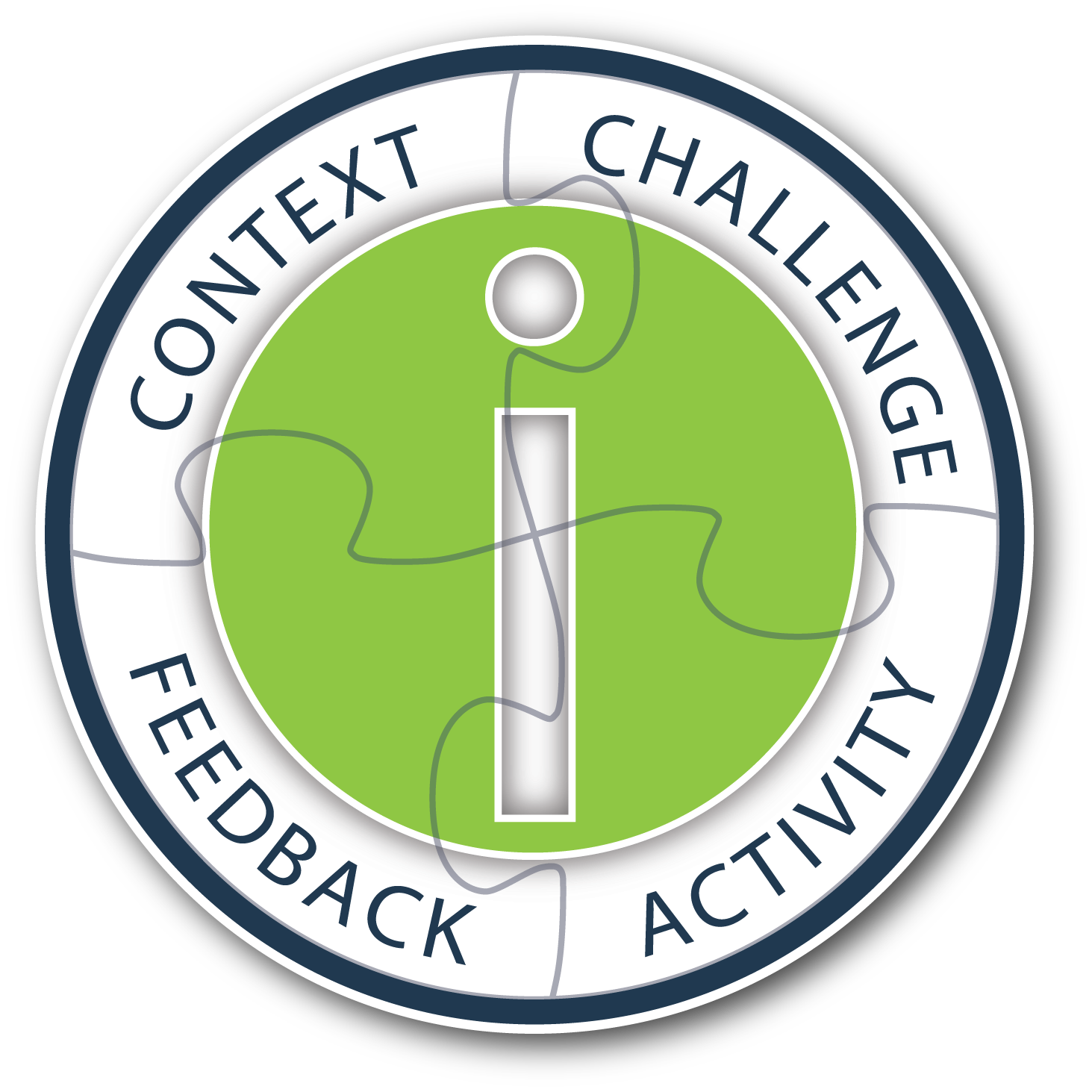
In this kit, Ethan Edwards covers the concept of instructional interactivity, and demonstrates how it can transform the learning experience for learners working independently through an e-learning program. Get specific real-world examples that give meaning to the four essential components of instructional interactivity, CCAF, which include: Context, Challenge, Activity, and Feedback.

In this kit, you will learn:

the value of true instructional interactivity for creating engaging, effective e-learning
the four essential design components of instructional interactivity which include: Context, Challenge, Activity, Feedback
to design engaging contexts, motivating challenges, appropriate activities, and instructional feedback into interactive design
the critical elements of any authoring tool used to create instructional interactivity
This kit includes:

White paper
60-minute webinar
Presentation slides from webinar
Q&A summary from webinar
Examples site showing CCAF in action

http://info.alleninteractions.com/ccaf-e-book/

good time

Learning about e-learning - Free guide


Getting started in e-learning may appear daunting, but it need not be. Anyone is capable of creating world class e-learning material, as long as they are aware of a few basic concepts, ideas, and industry standards.
At Kookaburra Studios, our developers have had over twenty years experience in the e-learning industry. We've used this knowledge to creating Learning About e-learning - free!
This online book provides heaps of information, dozens of examples, and hundreds of links for more information.

A free 75 page guide to e-learning, including heaps of examples and interactivities, dozens of illustrations, and explanations and techniques for all facets of e-learning.

The download link :

Sep 5, 2012

The Wonders of Adobe Captivate 6


Session Description:
Captivate 6 was released this summer and what a release it is! Joe Ganci, who has used Captivate for many years, will take you through a fun and revealing look at all the new and great features of Captivate 6. Included among the new features are:

1. Output to HTML and to Mobile Devices
2. Actors / Characters
3. Smart Shapes
4. Smart Learning Interactions
5. Themes
6. High Definition Screencasts
7. Pre-tests and Branch-Aware Branching
8. Partial and Negative Scoring
9. Remediation
10. Round-tripping with PowerPoint 2010
11. Optimized User Interface and Object Grouping
12. Audio Responses
13. Reflections Effect
14. Text Improvements

Speaker:
Joe Ganci, President, Dazzle Technologies Corp.

Joseph Ganci is President of Dazzle Technologies Corp., a custom training and learning company located in Ashburn, VA, right outside Washington. D.C.
Since 1983 he has been involved in every aspect of multimedia and learning development. Joe holds a degree in Computer Science, and is a published author, having written several books and articles about e-Learning.
Joe is widely considered a guru for his expertise in e-Learning development, and has taught classes and seminars at leading universities, in many government facilities, commercial firms, and educational institutions, and has spoken at many industry conferences. He is on a mission to improve to better the quality of e-Learning with practical approaches that work.

Date: Thursday, September 6, 2012
Time: 10:00AM Pacific /1:00PM Eastern(60 Minute Session)

http://www.trainingmagnetwork.com/welcome/joeganci_sept6

Good time.

The "How To" Mobile Learning Developer's Conference


mLearning DevCon's focus is on mobile learning development and strategy. Learn mobile learning technologies, how to overcome barriers in development and tools that can help accomplish what you need. mLearning DevCon is the "How To" instructional design and development mobile learning conference. With longer 90 minute regular sessions, and 3 hour hands-on BYOL sessions, learn to design and build mobile learning.

Get the practical knowledge on:

Mobile Learning Technology & Architecture
Mobile Development Tools - jQuery, Sencha, PhoneGap etc.
Creating Mobile Apps
Mobile Distribution
Creating iBooks
Flash Learning Apps for Mobile
HTML5 & Canvas
Offline Mobile Delivery
Open Source Mobile Tools
SCORM & Tin Can
Social in Mobile Learning
Project Managment
Mobile Learner Engagement
Mobile Instructional Design

http://mlearningdevcon.com/