Showing posts with label Webinars. Show all posts

Sep 19, 2012

How to deliver technical training via mobile devices


This is a webinar from CDG Company for mobile, you can join it free .

With the rise in usage of mobile devices, what opportunities does this offer technical trainers? How do you create content that works well on mobile devices? How can you ensure that it functions correctly on all types of devices?

In this webinar presented by Luke Dart, Technical Content Developer, Advanced Learning Solutions Team, CDG a Boeing company, you will learn how mobile devices can be used to support your training activity to reduce classroom time and meet the needs and expectations of your students. It will give you insights into how other training departments are using mobile devices and ideas for your own training function. You will learn about some of the current limitations, what can be achieved and how to make it happen.

Join this live, interactive webinar to learn:

The contexts in which mobile devices can be used for training
The benefits they offer
How to structure content for mobile devices
Delivering content via mobile devices – what is possible and how it is done
The current limitations and issues
Who will benefit from attending:
Technical Training Managers
HR Managers
Engineering Managers
Customer Support Managers
Maintenance Managers

Speaker:
Luke Dart, Technical Content Developer, Advanced Learning Solutions Team, CDG a Boeing company

Wednesday, September 26, 2012

9:00 am / 09:00 (GMT)
10:00 am / 10:00 (BST)


http://www.cdgnow.com/news-events/event-calendar/webinar-how-to-deliver-technical-training-via-mobile-devices/?utm_source=JangoMail&utm_medium=Email&utm_campaign=Webinar+-+How+to+deliver+technical+training+via+mobile+devices+%28277012828%29&utm_content=almouka%40hotmail%2Ecom

Good time.

Sep 13, 2012

Developing a Mobile Learning Strategy


This is a webinar from skillsoft.

Fit mobile into your learning strategy

Is now the time to take the plunge into mobile learning, or should you wait for a more stable mobile landscape to emerge?

Join Skillsoft for a webinar that will provide you with a framework as you begin thinking about the challenges and opportunities for mobile learning within your organization. During the webinar you will learn:
The different devices suitable for different learning content types.
The difference between mobility and portability when applied to learning activities.
Speakers:

Pam Boiros, Vice President, Product Management Skillsoft® Books24x7®
Pam Boiros joined Skillsoft in 2000, as part of the Books24x7 organization, and she is currently responsible for the overall product and content strategy of the Books24x7 “On Demand” product line. She is the key architect and evangelist for inGenius™, Skillsoft’s social learning solution which has to date been adopted by over 300 organizations around the world.  Pam has also been involved with emerging mobile learning initiatives since the launch of the Books24x7 on the Go™ mobile solution in 2006. Pam holds an MBA from Babson College and a BS in Business Administration from Northeastern University.

Tim Hildreth, Director, Product Marketing, Skillsoft
Since joining SkillSoft in 2004, Tim has provided strategic direction for Skillsoft’s content technology products including courses, authoring tools, KnowledgeCenters, and the Skillsoft Leadership Advantage. Most recently, Tim has overseen the development of Skillsoft’s evolving mobile strategies.  Tim considers himself a life-long learner and teacher and has travelled extensively and lived abroad. He came to Skillsoft after 11 years in Product Marketing and other positions with Transparent Language, Inc., a leading provider of computer aided language-learning (CALL). He has a degree in Political Science from Williams College.

Date and time :
Wednesday, September 19
1- 2 p.m. EDT


http://learning.skillsoft.com/LP=123?elqCampaignId=214&srcID=Mobile_wb_website

Good time .

Adobe Captivate 6: Master Slides & Templates Free Seminar


Join Josh "Captian Captivate" Cavalier for this deep dive into how to use Captivate 6 Themes and building Captivate templates. He will cover the following:

What is a Captivate 6 Theme
The new Main Master Slide and Layouts
Object Styles
The Captivate 6 Template workflow
Adding your own brand
Using the Template
... and much more!

Date: Friday September 14, 2012
Time: 1:00 PM to 2:00 PM EDT

This is a free online seminar via Lodestone Live.

http://events.r20.constantcontact.com/register/event?llr=i7u6nsbab&oeidk=a07e6co8f0f35adb721

Sep 12, 2012

CHOOSING THE RIGHT TOOLS TO CREATE E-LEARNING - Free Webinar


This 30 minute online Masterclass is specifically designed for in-house trainers / subject matter experts from all industries who want to design and build their own rapid e-learning programmes in-house.

There are a variety of e-learning authoring tools available on the market – each with their own strengths and weaknesses.
Through this webinar session we will provide an independent review of some of the leading e-learning authoring tools ranging from PowerPoint plug-ins to online tools and stand-alone tools (Storyline, Captivate, Snap!, Articulate, Smartbuilder, Composica, Dreamweaver and Flash).

We will also give you tips on what you need to think about from a learning and technology perspective when selecting the best e-learning authoring tool for your organisation.

Your presenter for this session will be Lee Reilly from Aurion’s award-winning E-learning Development Team.


Good time

Sep 9, 2012

Creating e-Learning that Makes a Difference - free kit


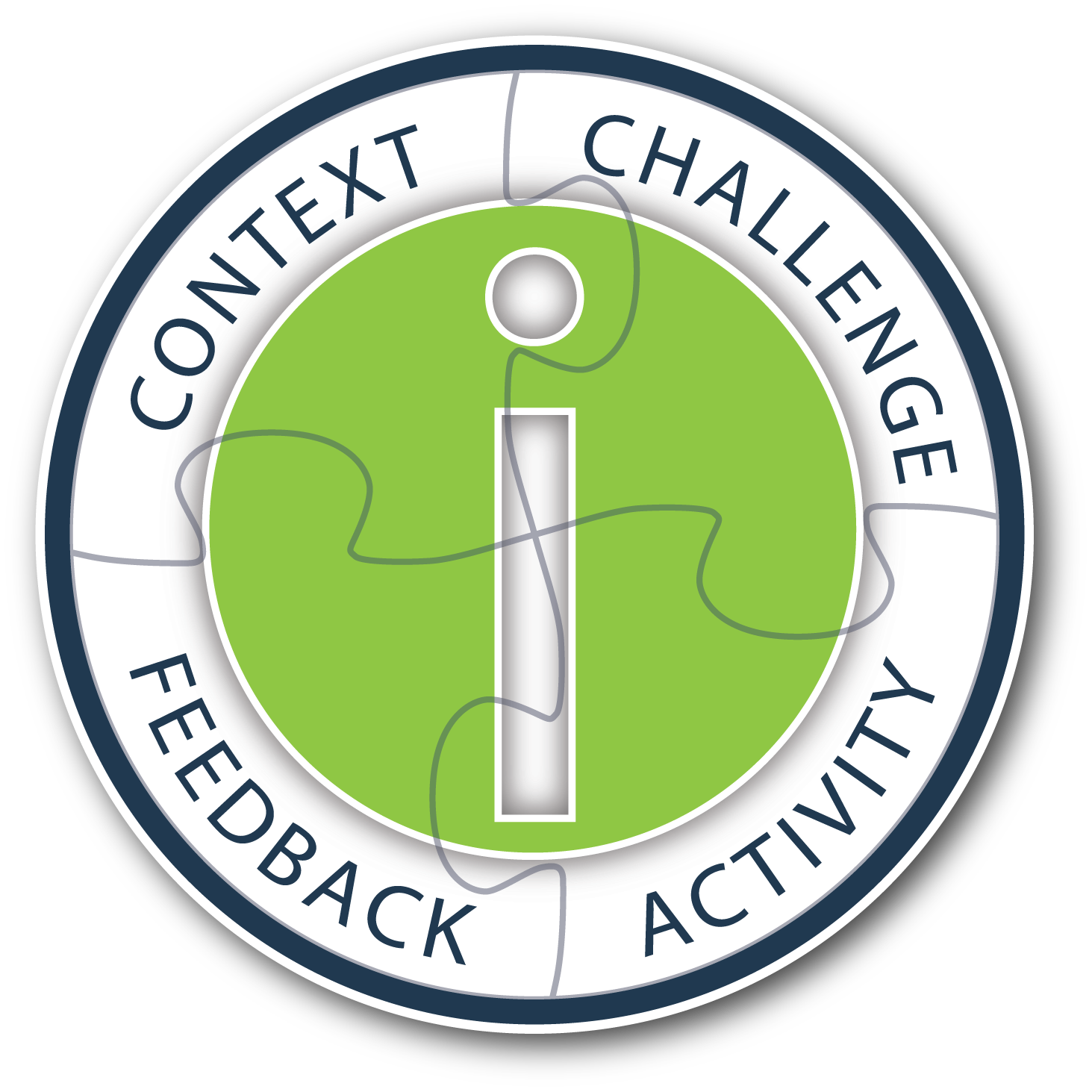
In this kit, Ethan Edwards covers the concept of instructional interactivity, and demonstrates how it can transform the learning experience for learners working independently through an e-learning program. Get specific real-world examples that give meaning to the four essential components of instructional interactivity, CCAF, which include: Context, Challenge, Activity, and Feedback.

In this kit, you will learn:

the value of true instructional interactivity for creating engaging, effective e-learning
the four essential design components of instructional interactivity which include: Context, Challenge, Activity, Feedback
to design engaging contexts, motivating challenges, appropriate activities, and instructional feedback into interactive design
the critical elements of any authoring tool used to create instructional interactivity
This kit includes:

White paper
60-minute webinar
Presentation slides from webinar
Q&A summary from webinar
Examples site showing CCAF in action

http://info.alleninteractions.com/ccaf-e-book/

good time

Sep 5, 2012

The Wonders of Adobe Captivate 6


Session Description:
Captivate 6 was released this summer and what a release it is! Joe Ganci, who has used Captivate for many years, will take you through a fun and revealing look at all the new and great features of Captivate 6. Included among the new features are:

1. Output to HTML and to Mobile Devices
2. Actors / Characters
3. Smart Shapes
4. Smart Learning Interactions
5. Themes
6. High Definition Screencasts
7. Pre-tests and Branch-Aware Branching
8. Partial and Negative Scoring
9. Remediation
10. Round-tripping with PowerPoint 2010
11. Optimized User Interface and Object Grouping
12. Audio Responses
13. Reflections Effect
14. Text Improvements

Speaker:
Joe Ganci, President, Dazzle Technologies Corp.

Joseph Ganci is President of Dazzle Technologies Corp., a custom training and learning company located in Ashburn, VA, right outside Washington. D.C.
Since 1983 he has been involved in every aspect of multimedia and learning development. Joe holds a degree in Computer Science, and is a published author, having written several books and articles about e-Learning.
Joe is widely considered a guru for his expertise in e-Learning development, and has taught classes and seminars at leading universities, in many government facilities, commercial firms, and educational institutions, and has spoken at many industry conferences. He is on a mission to improve to better the quality of e-Learning with practical approaches that work.

Date: Thursday, September 6, 2012
Time: 10:00AM Pacific /1:00PM Eastern(60 Minute Session)

http://www.trainingmagnetwork.com/welcome/joeganci_sept6

Good time.

5 Best Practices for Effective Virtual Learning


As organisations incorporate virtual learning solutions into their traditional learning mix, it’s critical to understand how and when to apply these tools and processes.

With thoughtful design and practiced facilitation, virtual training programmes can meet – and often exceed – the expectations of more traditional delivery methods.

Join David Smith, managing director (EMEA) of InSync Training, as he discusses how to best implement a live virtual classroom, turning e-learning success from the exception into the rule.

Attend this interactive webinar to learn:

How to implement your own personal action plan
The difference between interaction and collaboration
Design concepts for creating a thoughtful programme
How to convert traditional techniques for virtual use

Speakers:
David Smith, InSync Training 

Thursday, September 13, 3 PM (UK)

Social Media and Employee Communications


Conference Webcast Schedule :

Introduction to the Institute for Human Resources Social Media and Employee Communications
September 12 10:30 AM - 11:00 AM ET    
Presenters:
Colleen Peck, IHR Facilitator - Social Media and Employee Communications(HR.com)

Implementing Social Technologies Within Your Organization
September 12 11:00 AM - 12:00 PM ET    
Presenters:
Kevin Jones, Collaboration / Organizational Strategist(vinJones.com)

Absurdum. Fidem. Dignitatem.
September 12 11:00 AM - 12:00 PM ET    
Presenters:
Robert von Kampen PhD, President(RAPSD, LLC [rap-suh-dee])

Beyond Facebook and LinkedIn: An Overview of the Entire Social Media Landscape
September 12 12:00 PM - 1:00 PM ET    
Presenters:
Krista Neher, CEO(Boot Camp Digital)

Feedback, Feed-Forward: Giving Your People the Feedback They Need To Succeed!
September 12 12:30 PM - 1:30 PM ET    
Presenters:
Jeremy Lurey, CEO & Chief Architect(Plus Delta Consulting, LLC)

Social Media: It's not Just a Tool for Marketing. HR Can Leverage the Power of Social Communities
September 12 1:30 PM - 2:30 PM ET    
Presenters:
Kim Brechin, Founder(Look-Solutions Consulting)

Maximizing LinkedIn for HR Professionals
September 12 2:00 PM - 3:00 PM ET    
Presenters:
Chris Burdge, President(BWEST Interactive)

You’ve Got Organizational Change – What’s the Right Approach for the Social Media Strategy?
September 12 3:00 PM - 4:00 PM ET    
Presenters:
Rich S Pirrotta, Managing Director(Whitehall Group, LLC)

TextTeams – Digital Team Building With Texting Phones
September 12 3:30 PM - 4:30 PM ET    
Presenters:
John Chen, CEO(Geoteaming)

Managing Success: Effective Manager-Employee Relationships
September 13 11:00 AM - 12:00 PM ET    
Presenters:
Jeremy Henderson, Chief Client Partner, Founder(Jungle Red Communication)

How HR Can Support Frontline Managers in Communicating
September 13 11:00 AM - 12:00 PM ET    
Presenters:
Allison Jackson, Director, Global Internal Communications(Hertz Global Holdings, Inc.)

Employment Decisions 2.0: The legalities of using social media for hiring and firing
September 13 12:00 PM - 1:00 PM ET    
Presenters:
Eric Meyer, Attorney(Dilworth Paxson LLP)

How to Leverage Your Offline Credibility Online Through Personal Online Branding
September 13 12:30 PM - 1:30 PM ET    
Presenters:
Grant Goodwin, President(All Roads Inc.)

Mr Clarity On How To Fix Internal Communications Problems: Fix It or Flounder in the 21st Century!
September 13 1:30 PM - 2:30 PM ET    
Presenters:
Mark Grimm, President(Mark Grimm Communications)

Social Media Recruitment Strategy: Listen, Participate, Create
September 13 2:00 PM - 3:00 PM ET    
Presenters:
Carisa Miklusak, CEO(tMedia Strategies)

Navigating Social Media and Legal Concerns: A HR Guide
September 13 3:00 PM - 4:00 PM ET    
Presenters:
Elizabeth Lalli-Reese, Principal, Texas Strategic HR & F150 HR Business Partner(Arrow Electronics)
 
http://www.hr.com/en/webcasts_events/virtual_events/upcoming_virtual_events/social-media-and-employee-communications_gw81j19e.html

Sep 2, 2012

Games and Simulations - Now in HTML5


The session will cover:
Why mLearning?
What are the challenges the developers face while creating mLearning courses?
Raptivity - A solution for your mLearning needs
Raptivity HTML5 Demo

Create Effective Mobile Learning with HTML5 Interactions
Raptivity now supports 90+ interactions in HTML5 format with the launch of MindPlay TurboPack, WordPlay TurboPack, Simulations TurboPack and Booster Pack1. With this you can create variety of interactions such as Strategy games, Game shows, Simulations, Crosswords and others for your mobile learning needs. With the vast library of HTML5 interactions, now enhance the learning experience across various devices.

join this webinar "Raptivity launches Games and Simulations - Now in HTML5". This session will showcase Raptivity's HTML5 features.

Wednesday, September 12, 2012 10:00 AM - 11:00 AM PDT


Become an eBOOK Publisher for eReaders, Desktop, Mobile and Tablet Devices


Technical documentation teams are now moving Policies and Procedures project content from the desktop to mobile devices and tablets. Adobe RoboHelp 10 supports the new ePub 3 (and ePub 2.0.1) as well as the Kindle Fire (KF8) formats. The publishing targets are eBook readers (such as Amazon Kindle, Barnes & Noble's, Nook, etc.) as well as tablets users (Apple iPad, Samsung Galaxy, BlackBerry Playbook, etc.) and even smartphones such as Motorola's Droid and Samsung's Galaxy S series.

In this eSeminar you will learn how to:

Prepare an existing RoboHelp project for generating to many devices using the new eBook Single Source Layout.
Optimize content maximum compatibility to adapt and accommodate a growing number of eBook readers and mobile devices.
Create an eBook Single Source Layout for ePub 3 and Kindle Book.
Enter Meta Information including publisher and copyright info as well as a Cover Image.
Validate the content in accordance with requirements of the Apple Store.

Presenters: This eSeminar is hosted by Adobe Certified RoboHelp Instructor John Daigle and his guest, Kevin Siegel. John teaches and consults Adobe RoboHelp and Adobe Captivate and is based in Evergreen, Colorado (www.showmethedemo.com). Kevin Siegel is founder of IconLogic and develops courseware for Adobe RoboHelp and many other Adobe products. He distributes his courseware using the ePUB format and is based near Baltimore, Maryland (www.iconlogic.com).

Wednesday, September 12, 2012
10:00 AM - 11:00 AM US/Pacific


Good time.

Aug 24, 2012

3D eLearning: The power of turning CAD models into training


Are you looking for ways to make your maintenance training more effective and efficient?

Would you like to reduce the cost of unnecessary damage to components during routine maintenance tasks?

One of the best ways to achieve these objectives is by utilizing CAD model data to create powerful, interactive 3D eLearning training. This will reduce learning times, reduce component damage levels and enable better monitoring of student competency.

Training budgets are being squeezed and yet the need for training is constantly growing. Looking forward, in the world of complex equipment maintenance, there are vast numbers needing to be recruited and trained. Customers and existing employees require training on new and innovative products. These demands make it essential for Program Managers, Customer Service Managers, Training Managers and Trainers to find more effective ways to create and deliver training. One of the best ways to achieve this is by utilising CAD model data to create powerful, interactive 3D ELearning packages.

Join this live, interactive webinar to learn:

How 3D makes learning more engaging, effective and faster
How better training reduces component damage during maintenance tasks
A powerful way to explain, train and test competency on maintenance tasks
How to save cost on content creation and enable trainers to be more productive

This webinar will show you what is possible and explain how you can use this technology to bring benefit to your organisation and for your customers.

Wednesday, August 29

9:00 am UTC/GMT
10:00 am BST
Duration: 45 minutes (plus Q&A)


https://www2.gotomeeting.com/register/774062114D


Aug 23, 2012

Best Practices in Rapid Mobile Application Development


Mobile applications are multiplying at an astounding rate, and billions of mobile device users around the world devour them instantly on their smart phones and tablets. And no wonder. Mobility is a key factor as companies rethink their business models, reinvent their workforces and rewire their operations for tomorrow.
Apple’s App Store rejects close to 30% of 26,000 submissions received every week, for failing to adhere to its developer guidelines. Have you ever experienced this?
Do you want to avoid the heartbreak, save on iteration costs and importantly, achieve ‘Faster time to Market’?
Are you looking for enhancing the capabilities & implement the best practices around rapidly creating and updating cross-device mobile apps?

Harbinger Systems will be sharing insights across Conceptualization, Development, Testing and Submission phases of the mobile app development process.
Key Takeaways:
  How to detect problems early on in the ADLC and build a strong platform for app development
  How to automate trivial tasks, make the code maintainable & detect bugs in minimum cycles
  Testing tips which significantly save time during maintenance and app upgrades
  How to Honor the Human Interface Guidelines (HIG) to reduce review time and iterations

We will set aside time for Q&A, so there will be plenty of opportunity to answer your specific questions on mobile development best practices. So please join us to learn about building the right apps – on time and on budget.
Harbinger Systems, is a recipient of “SUPERSTAR” award in the 10th Annual Mobile Star Awards™ program hosted by MobileVillage.com.

Date: August 23rd, 2012
Time: 11 am PST | 1 pm CST | 2 pm EST

Don't miss it  .


Aug 22, 2012

No Escaping Mobile Learning - Webinar


The use of mobile devices and technology for learning and information access is rapidly gaining ground across the world. If not already adopted, mobile learning is now featuring in most strategy discussions within L&D teams in large and small enterprises. But are you still trying to escape it?

As you probably already know, last week we kicked off our independent webinar series with the first one titled as ‘No Escaping Mobile Learning’ which I co-presented with Abhijit Kadle (watch recording here). I’m very pleased with the response we got on this – 400 registrations and 136 actual attendees. Thank you for making it a successful beginning for us and we do hope to continue sharing our insights on topics that matter the most to you. At the end of this post are answers to the questions asked in the webinar.

In this webinar, Abhijit and I discussed about the six key drivers that are forcing organizations to adopt mobile learning. They are -

Growing mobile workforce
Computing shifting to handheld devices
Changing behavior patterns
Next generation of workforce
When do we really learn
Doing more with less

We believe each of them is powerful enough to drive your organization to mobile learning, but put together they create the perfect storm for adoption.

In this webinar You also touched upon how to get started with mobile learning quickly. Our advice is to ‘just do it’ while a full-fledged strategy can come later. This seemingly contrarian advice comes from the fact that creating a comprehensive strategy is time consuming and complex. Getting started with a simpler mobile learning project will help get your hands dirty and give you some valuable inputs which will be very useful for strategic planning in future.

You can register here :

More Information:

Good luck.

Your e-Learning Investment - Free Webinar


 How Allen Interactions Achieves Business Impact & Boosts Learner Performance

IN THIS WEBINAR YOU WILL LEARN HOW TO:

maximize your investment in performance-based and skill-based learning initiatives
re-align current training needs for greater budget impact
apply a new instructional design model to your learning initiatives for maximum learner engagement and performance

PRESENTED BY: Paul Howe, Vice President of Sales, Allen Interactions

WHEN: Wednesday, August 22, 1:00 - 2:00 pm Central

You can Register here :

Good time .

Aug 20, 2012

Interactivity, Games and Gamification: Creating Engaged Learners


Session Description :
Based on the bestselling learning book, “The Gamification of Learning and Instruction” this presentation introduces, defines, and describes the concepts of gamification, games for learning and interactivity. It then dissects the elements of games and describes how they can be applied to the design and development of interactive learning. 

The presentation is based on solid research including peer-reviewed results from dozens of studies that offer insights into why game-based thinking and mechanics makes for vigorous learning tools. Not all games or gamification efforts are the same, creating engaging learning using game-based thinking  requires matching instructional content with the right game mechanics and game thinking. Moving beyond the theoretical considerations, the presentation explores three methods for designing interactive learning based on concepts from games.

About Karl Kapp
Karl M. Kapp, Ed.D., CFPIM, CIRM, is a consultant, scholar, and expert on the convergence of learning, technology and business operations. His background teaching e-learning classes, knowledge of adult learning theory, and experience training CEOs and front line staff provides him with a unique perspective on organizational learning. His experience with technology companies and high-tech initiatives provides him with insights into the future of technology. He shares those insights and perspectives through writing, consulting and coaching with clients in the field of e-learning.

(60 Minute Session)

Recodred Webinar :


Informal Learning and Social Media: Upskilling for 21st Century Training

New tools for and ideas about learning are bringing in a new age for training and development practitioners. We now have real means of extending our reach, learners who can identify and satisfy their own learning needs, and opportunities to support workplace learning and performance like we’ve never had before.

This session provides an overview of some 21st century skills we’ll need to develop to stay current and viable in a rapidly changing, but more learning-focused, time.  
                                                                       
You will take away: 

·   A basic understanding of curation and its importance in managing information overload
·   Ideas for encouraging and supporting inclusion
·   Strategies for participating rather than just delivering
·   And basics of community management – they don’t grow by themselves!

By : Jane Bozarth, Ph.D

About Jane Bozarth, Ph.D.
Dr. Jane Bozarth has been a training practitioner since 1989. In her years with North Carolina, USA state government she has served as Staff Development Specialist for DHHS, the Training Director for the Department of Justice, and the E-Learning Coordinator for the NC Office of State Personnel.

Recorded Webinar :

Implementing the ADDIE Model in Corporate e-Learning


       Jeff Clay, a newly appointed project manager in the Webanywhere Workplace team, will demonstrate how Walmart has successfully used the ADDIE (Analyze, Design, Develop, Implement, Evaluate) model for eLearning and classroom training and development.  Primarily used for managing instructional design, Jeff will discuss how the ADDIE model can provide structure for other workplace training methods, and how Webanywhere can assist you in implementing this model.

The webinar is designed to provide insight into the workings of the training division at one of the world's largest and most successful corporations.  With over 1 million learners worldwide, the scale of their work has been truly epic and this webinar will provide a real life insight which will support your vision for learning and development.


Good Time

Aug 19, 2012

Free Courses and Webinars From nobledesktop


Many Free Courses and webinars from nobledesktop

Upcoming webinars : 

HTML EmailIn
Employment Strategies
What’s New in Photoshop CS6
PM How We Built Our Website
Creative Effects with IllustratorIn
How to Get Started in Web DesignIn
Dreamweaver and CSS (Cascading Style Sheets)
What’s New in Illustrator CS6
Responsive Web DesignIn
State of the Art Web Design: What Can I Do Now?
Intro to Adobe PhotoshopIn
Digital Publishing: eBooks, eMagazines & Apps
Roadmap to a Career in Web Design & Digital Media
Photoshop Illustration Techniques

and also you can watch Recordings of Online Seminars :

What's New in InDesign CS6
What's New in Photoshop CS6
How to Get Started in Web Design
Intro to Adobe Fireworks
Digital Publishing: eBooks, eMagazines & Apps
Intro to Adobe Photoshop CS5
Moving From Print to Web
Creative Effects with Illustrator CS5
Photoshop Old Photo Restoration
Creative Compositing with Photoshop CS5
Photoshop Digital Darkroom Techniques
Creative Effects with Illustrator CS5
Dreamweaver and CSS (w/ CS5)
Photoshop Illustration Techniques
Intro to Adobe InDesign CS5
How to Get Started in Web Design (with CS5)
Illustrator CS5 Upgrade—What’s New?
Photoshop CS5 Upgrade—What’s New?
InDesign CS5 Upgrade—What’s New?

http://www.nobledesktop.com/seminars/

Good site.

Aug 18, 2012

Making sense of how to use social media for learning - Webinar


Learning the 21st century way: Making sense of how to use social media for learning

Over the past decade social media has changed how individuals connect online and share information and how organizations interact with stakeholders and customers. Did you know that social media is now being incorporated into learning programs from Kindergarten right on up through adult education? Does it really add any value to the learning process?

In this one-hour webinar, I’ll share exactly how I incorporated social media (and in particular, Twitter) into one of my classes. I’ll share what worked, what didn’t and what you can do in your own teaching or training practice to effectively integrate social media ‐ and why you might want to.

By the end of the webinar you will:
• Have a basic understanding of how social media can add value to your learning programs
• Gain insight into how to incorporate social media into a lesson plan
• Get ideas on how to assess activities using social media
• Get ideas on how to incorporate social media into your own learning programs

There will be time for questions at the end of the webinar.

This free webinar is sponsored by Essential Skills Ontario. Here are the details:

Date: Tuesday, August 21st, 2012

Time:

10:00 a.m. Pacific Time (Vancouver, BC)

11:00 a.m. Mountain Time (Calgary, AB)

1:00 p.m.  Eastern Time (Toronto, ON)

2:00 p.m. – Atlantic Time (Halifax, NS)

6:00 p.m. – British Summer Time (London U.K.)

7:00 p.m. – Eastern

Dr. Sarah Elaine Eaton is an educational leader, researcher, author and professional speaker.

Aug 13, 2012

Twitter for Trainers


Twitter is rapidly gaining a professional following, as it can be used to instantly share information about industry news, trends, and best practices with clients and colleagues. Twitter can also be used by workplace learning professionals in conducting training. This session will show you how to get started with Twitter and immediately begin using it to enhance training sessions, spread brand awareness, and stay on top of trending information. 

Learning Objectives:

•Promote your brand (whether as a professional consultant or as an expert in WLP) 
•Share knowledge with colleagues, clients, and learning participants 
•Improve relationships with colleagues, clients, and learning participants through meaningful communication on Twitter 
•Use Twitter as a research and news gathering tool to stay informed of industry trends. 

By Kella Price 
Dr. Kella B. Price has 13 years of experience in training and development, and talent management functions

Date: August 21, 2012
Time: 2:00 p.m. ET

http://webcasts.astd.org/webinar/463