Aug 31, 2012

PowerPoint Keyboard Shortcuts - Free ebook


Are you aware of all PowerPoint keyboard shortcuts? Want to check if your favorites have been included in this book, or if there are a few that can help you perform your PowerPoint tasks quicker and better?

This 56 page PDF e-book downloads quick and is a valuable resource. The PowerPoint Keyboard Shortcuts ebook covers the last three Windows versions of PowerPoint: PowerPoint 2010, 2007, and 2003. In addition, this also covers keyboard shortcuts for the recently released PowerPoint 2013 Customer Preview.

This e-book is updated based on feedback received from you. The current version of the e-book is 1.06 (released on August 3, 2012).

https://gumroad.com/l/pzWC

Good time.

Free Kids Silhouettes Vectors and Brushes


A free download that includes 14 different silhouettes of children. Each is provided in vector format (.ai file) and a Photoshop brush set (.abr file) is included as well.


Good Time.


Aug 25, 2012

E-learning and Digital Cultures- Free Course


This course will explore how digital cultures and learning cultures connect, and what this means for e-learning theory and practice.

About the Course:
E-learning and Digital Cultures is aimed at teachers, learning technologists, and people with a general interest in education who want to deepen their understanding of what it means to teach and learn in the digital age. The course is about how digital cultures intersect with learning cultures online, and how our ideas about online education are shaped through “narratives”, or big stories, about the relationship between people and technology. We’ll explore some of the most engaging perspectives on digital culture in its popular and academic forms, and we’ll consider how our practices as teachers and learners are informed by the difference of the digital. We’ll look at how learning and literacy is represented in popular digital-, (or cyber-) culture. For example, how is ‘learning’ represented in the film The Matrix, and how does this representation influence our understanding of the nature of e-learning? 

On this course, you will be invited to think critically and creatively about e-learning, to try out new ideas in a supportive environment, and to gain fresh perspectives on your own experiences of teaching and learning. The course will begin with a ‘film festival’, in which we’ll view a range of interesting short films and classic clips, and begin discussing how these might relate to the themes emerging from the course readings. We will then move on to a consideration of multimodal literacies and digital media, and you’ll be encouraged you to think about visual methods for presenting knowledge and conveying understanding. The final part of the course will involve the creation of your own visual artefact; a pictorial, filmic or graphic representation of any of the themes encountered during the course, and you‘ll have the opportunity to use digital spaces in new ways to present this work. 

E-learning and Digital Cultures will make use of online spaces beyond the Coursera environment, and we want some aspects of participation in this course to involve the wider social web. We hope that participants will share in the creation of course content and assessed work that will be publicly available online.

About the Instructor(s):
This course has been developed collaboratively by a team of experienced teachers and researchers in online education, who run the international MSc in E-learning distance education programme at the University of Edinburgh. It will be led by Jeremy Knox, with contributions from Dr Sian Bayne, Dr Hamish Macleod, Dr Jen Ross and Dr Christine Sinclair. You can find out more about all of them and their work at http://online.education.ed.ac.uk/team.

Next session: 28 January 2013 (5 weeks long)
Workload: 3-5 hours/wee

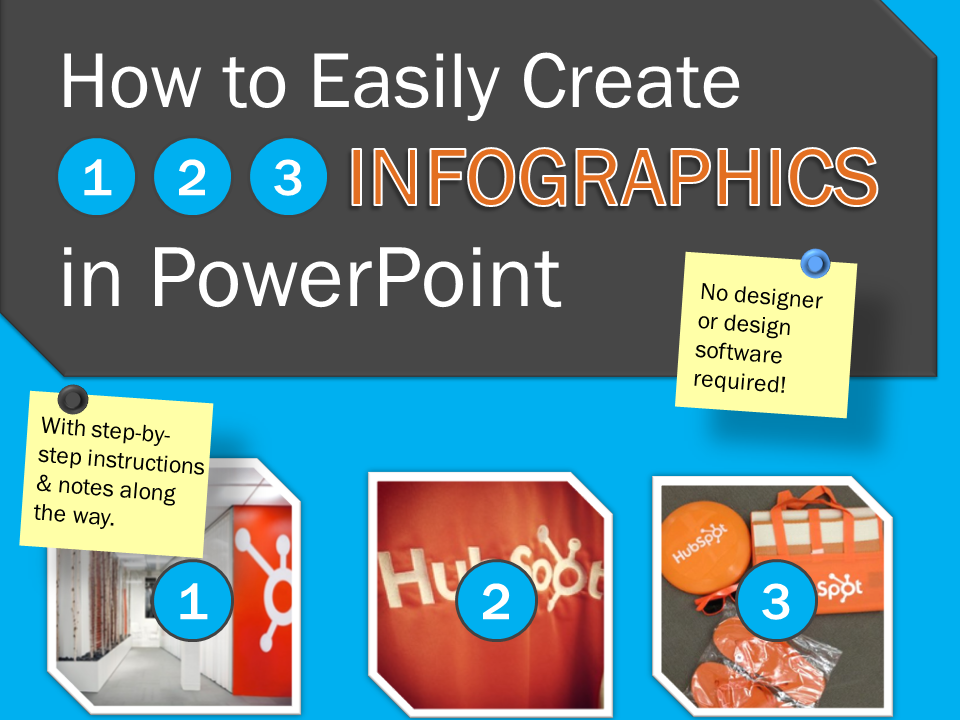
Free Template: How to Easily Create Infographics in PowerPoint


An infographic is a popular tool marketers use to capture their target audience's attention. They're also useful for lead generation efforts -- you can get website visitors to provide their contact information in exchange for downloading the infographic. The only question is: how do you actually make one?

With PowerPoint! We created three customizable infographic templates to help you start building these visual wonders.

This easy-to-use PowerPoint template comes with three types of infographics:

Step-by-Step Infographic
Informational Infographic
Data-Packed Infographic


Good Time.


Aug 24, 2012

3D eLearning: The power of turning CAD models into training


Are you looking for ways to make your maintenance training more effective and efficient?

Would you like to reduce the cost of unnecessary damage to components during routine maintenance tasks?

One of the best ways to achieve these objectives is by utilizing CAD model data to create powerful, interactive 3D eLearning training. This will reduce learning times, reduce component damage levels and enable better monitoring of student competency.

Training budgets are being squeezed and yet the need for training is constantly growing. Looking forward, in the world of complex equipment maintenance, there are vast numbers needing to be recruited and trained. Customers and existing employees require training on new and innovative products. These demands make it essential for Program Managers, Customer Service Managers, Training Managers and Trainers to find more effective ways to create and deliver training. One of the best ways to achieve this is by utilising CAD model data to create powerful, interactive 3D ELearning packages.

Join this live, interactive webinar to learn:

How 3D makes learning more engaging, effective and faster
How better training reduces component damage during maintenance tasks
A powerful way to explain, train and test competency on maintenance tasks
How to save cost on content creation and enable trainers to be more productive

This webinar will show you what is possible and explain how you can use this technology to bring benefit to your organisation and for your customers.

Wednesday, August 29

9:00 am UTC/GMT
10:00 am BST
Duration: 45 minutes (plus Q&A)


https://www2.gotomeeting.com/register/774062114D


Aug 23, 2012

Best Practices in Rapid Mobile Application Development


Mobile applications are multiplying at an astounding rate, and billions of mobile device users around the world devour them instantly on their smart phones and tablets. And no wonder. Mobility is a key factor as companies rethink their business models, reinvent their workforces and rewire their operations for tomorrow.
Apple’s App Store rejects close to 30% of 26,000 submissions received every week, for failing to adhere to its developer guidelines. Have you ever experienced this?
Do you want to avoid the heartbreak, save on iteration costs and importantly, achieve ‘Faster time to Market’?
Are you looking for enhancing the capabilities & implement the best practices around rapidly creating and updating cross-device mobile apps?

Harbinger Systems will be sharing insights across Conceptualization, Development, Testing and Submission phases of the mobile app development process.
Key Takeaways:
  How to detect problems early on in the ADLC and build a strong platform for app development
  How to automate trivial tasks, make the code maintainable & detect bugs in minimum cycles
  Testing tips which significantly save time during maintenance and app upgrades
  How to Honor the Human Interface Guidelines (HIG) to reduce review time and iterations

We will set aside time for Q&A, so there will be plenty of opportunity to answer your specific questions on mobile development best practices. So please join us to learn about building the right apps – on time and on budget.
Harbinger Systems, is a recipient of “SUPERSTAR” award in the 10th Annual Mobile Star Awards™ program hosted by MobileVillage.com.

Date: August 23rd, 2012
Time: 11 am PST | 1 pm CST | 2 pm EST

Don't miss it  .


Aug 22, 2012

Best Digital Storytelling Examples and Resources- ebook


10 Digital Storytelling Projects

In short, digital storytelling refers to creating and distributing a story using digital tools. That's the obvious answer. Let's explore that answer a little more.
Depending upon who you ask, digital storytelling can refer a lot of things. In general you will find that when people talk about digital storytelling they're referring to videos and podcasts. But digital storytelling can also refer to creating interactive media in the forms of ebooks, maps, and timelines. And still to some teachers digital storytelling refers to the use of digital images to tell a story.

This work  ten digital storytelling projects developed and conducted by educators just like you and me.

Editor:
Richard Byrne

Contributing Authors:
Wayne Cherry, Jr.
Rebecca Hersh
Gayle Spinnel-Gellers
Mary-Ellen Sargiotto
Karen Orlando
Alisa Wright
Kurt Gosdeck
Brad Bahns
Jacquelyn Whiting
Shar Dean
Leslie Cataldo Savage

A Free eBook from Free Technology for Teachers .