Sep 3, 2012

Web 2 Tools in Education -A Quick Guide


Content of the guide :

CHAPTER 1 BLOG
CHAPTER 2 DIIGO
CHAPTER 3 ELLUMINATE
CHAPTER 4 EVERNOTE
CHAPTER 5 FACEBOOK
CHAPTER 6 FLICKR
CHAPTER 7 GLOGSTER
CHAPTER 8 JING
CHAPTER 9 NING
CHAPTER 10 PREZI
CHAPTER 11 SKYPE
CHAPTER 12 SLIDESHARE
CHAPTER 13 TWITTER
CHAPTER 14 VOICETHREAD
CHAPTER 15 WALLWISHER
CHAPTER 16 WIKIS
CHAPTER 17 YOUTUBE
CHAPTER 18 WORDLE
CHAPTER 19 WORDPRESS
CHAPTER 20 DEL.ICIO.US

http://www.scribd.com/doc/58594601/Web-2-0-Tools-in-Education-A-Quick-Guide-by-Mohamed-Amin-Embi
Or
http://www.ukm.my/fst/data/web/webtool2.pdf

Good time.


Sep 2, 2012

Games and Simulations - Now in HTML5


The session will cover:
Why mLearning?
What are the challenges the developers face while creating mLearning courses?
Raptivity - A solution for your mLearning needs
Raptivity HTML5 Demo

Create Effective Mobile Learning with HTML5 Interactions
Raptivity now supports 90+ interactions in HTML5 format with the launch of MindPlay TurboPack, WordPlay TurboPack, Simulations TurboPack and Booster Pack1. With this you can create variety of interactions such as Strategy games, Game shows, Simulations, Crosswords and others for your mobile learning needs. With the vast library of HTML5 interactions, now enhance the learning experience across various devices.

join this webinar "Raptivity launches Games and Simulations - Now in HTML5". This session will showcase Raptivity's HTML5 features.

Wednesday, September 12, 2012 10:00 AM - 11:00 AM PDT


Become an eBOOK Publisher for eReaders, Desktop, Mobile and Tablet Devices


Technical documentation teams are now moving Policies and Procedures project content from the desktop to mobile devices and tablets. Adobe RoboHelp 10 supports the new ePub 3 (and ePub 2.0.1) as well as the Kindle Fire (KF8) formats. The publishing targets are eBook readers (such as Amazon Kindle, Barnes & Noble's, Nook, etc.) as well as tablets users (Apple iPad, Samsung Galaxy, BlackBerry Playbook, etc.) and even smartphones such as Motorola's Droid and Samsung's Galaxy S series.

In this eSeminar you will learn how to:

Prepare an existing RoboHelp project for generating to many devices using the new eBook Single Source Layout.
Optimize content maximum compatibility to adapt and accommodate a growing number of eBook readers and mobile devices.
Create an eBook Single Source Layout for ePub 3 and Kindle Book.
Enter Meta Information including publisher and copyright info as well as a Cover Image.
Validate the content in accordance with requirements of the Apple Store.

Presenters: This eSeminar is hosted by Adobe Certified RoboHelp Instructor John Daigle and his guest, Kevin Siegel. John teaches and consults Adobe RoboHelp and Adobe Captivate and is based in Evergreen, Colorado (www.showmethedemo.com). Kevin Siegel is founder of IconLogic and develops courseware for Adobe RoboHelp and many other Adobe products. He distributes his courseware using the ePUB format and is based near Baltimore, Maryland (www.iconlogic.com).

Wednesday, September 12, 2012
10:00 AM - 11:00 AM US/Pacific


Good time.

Aug 31, 2012

PowerPoint Keyboard Shortcuts - Free ebook


Are you aware of all PowerPoint keyboard shortcuts? Want to check if your favorites have been included in this book, or if there are a few that can help you perform your PowerPoint tasks quicker and better?

This 56 page PDF e-book downloads quick and is a valuable resource. The PowerPoint Keyboard Shortcuts ebook covers the last three Windows versions of PowerPoint: PowerPoint 2010, 2007, and 2003. In addition, this also covers keyboard shortcuts for the recently released PowerPoint 2013 Customer Preview.

This e-book is updated based on feedback received from you. The current version of the e-book is 1.06 (released on August 3, 2012).

https://gumroad.com/l/pzWC

Good time.

Free Kids Silhouettes Vectors and Brushes


A free download that includes 14 different silhouettes of children. Each is provided in vector format (.ai file) and a Photoshop brush set (.abr file) is included as well.


Good Time.


Aug 25, 2012

E-learning and Digital Cultures- Free Course


This course will explore how digital cultures and learning cultures connect, and what this means for e-learning theory and practice.

About the Course:
E-learning and Digital Cultures is aimed at teachers, learning technologists, and people with a general interest in education who want to deepen their understanding of what it means to teach and learn in the digital age. The course is about how digital cultures intersect with learning cultures online, and how our ideas about online education are shaped through “narratives”, or big stories, about the relationship between people and technology. We’ll explore some of the most engaging perspectives on digital culture in its popular and academic forms, and we’ll consider how our practices as teachers and learners are informed by the difference of the digital. We’ll look at how learning and literacy is represented in popular digital-, (or cyber-) culture. For example, how is ‘learning’ represented in the film The Matrix, and how does this representation influence our understanding of the nature of e-learning? 

On this course, you will be invited to think critically and creatively about e-learning, to try out new ideas in a supportive environment, and to gain fresh perspectives on your own experiences of teaching and learning. The course will begin with a ‘film festival’, in which we’ll view a range of interesting short films and classic clips, and begin discussing how these might relate to the themes emerging from the course readings. We will then move on to a consideration of multimodal literacies and digital media, and you’ll be encouraged you to think about visual methods for presenting knowledge and conveying understanding. The final part of the course will involve the creation of your own visual artefact; a pictorial, filmic or graphic representation of any of the themes encountered during the course, and you‘ll have the opportunity to use digital spaces in new ways to present this work. 

E-learning and Digital Cultures will make use of online spaces beyond the Coursera environment, and we want some aspects of participation in this course to involve the wider social web. We hope that participants will share in the creation of course content and assessed work that will be publicly available online.

About the Instructor(s):
This course has been developed collaboratively by a team of experienced teachers and researchers in online education, who run the international MSc in E-learning distance education programme at the University of Edinburgh. It will be led by Jeremy Knox, with contributions from Dr Sian Bayne, Dr Hamish Macleod, Dr Jen Ross and Dr Christine Sinclair. You can find out more about all of them and their work at http://online.education.ed.ac.uk/team.

Next session: 28 January 2013 (5 weeks long)
Workload: 3-5 hours/wee

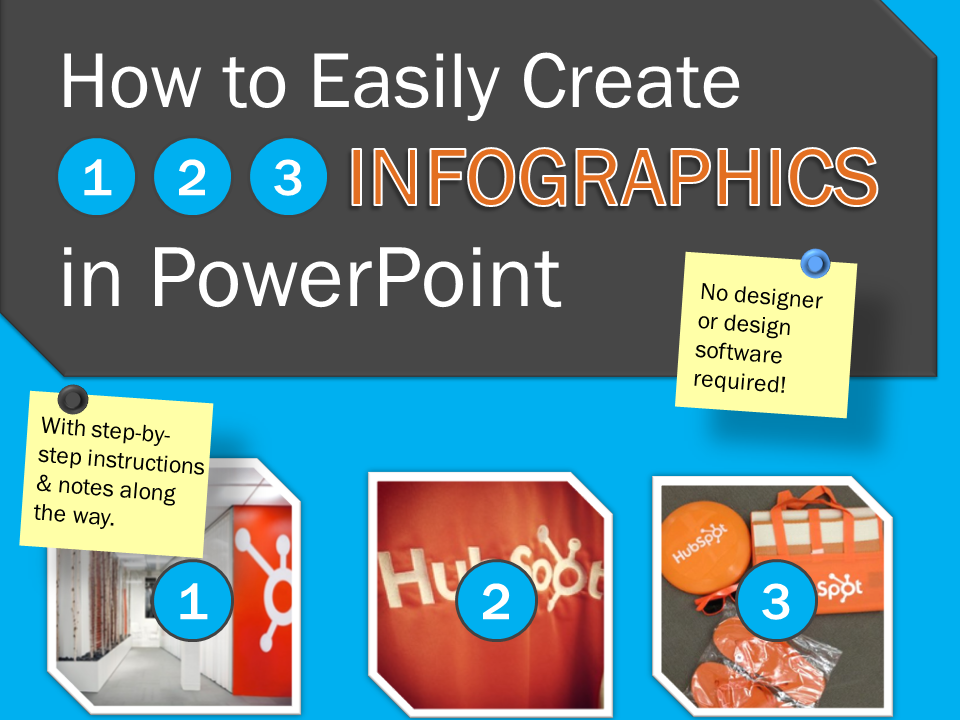
Free Template: How to Easily Create Infographics in PowerPoint


An infographic is a popular tool marketers use to capture their target audience's attention. They're also useful for lead generation efforts -- you can get website visitors to provide their contact information in exchange for downloading the infographic. The only question is: how do you actually make one?

With PowerPoint! We created three customizable infographic templates to help you start building these visual wonders.

This easy-to-use PowerPoint template comes with three types of infographics:

Step-by-Step Infographic
Informational Infographic
Data-Packed Infographic


Good Time.